
Download Canva Visual Suite – Free Online Design Tool, AI Graphic Editor
Overview
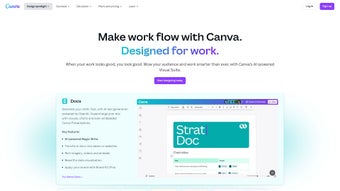
Canva Visual Suite is a comprehensive, web‑based design platform that brings together a full spectrum of creative tools in one intuitive workspace. Whether you’re a marketing professional, educator, small‑business owner, or hobbyist, the suite offers everything you need to craft polished visual documents, from slide decks and PDFs to interactive whiteboards. Its AI‑powered Magic Studio turns simple text prompts into ready‑to‑use designs, while real‑time collaboration lets teams edit, comment, and approve assets together, no matter where they are located. The suite doesn’t stop at screen‑based graphics; it also includes robust video and photo editing capabilities, such as background removal, collage creation, and a library of royalty‑free media. Print‑ready templates for business cards, invitations, flyers, and brochures make it easy to transition from digital to physical marketing collateral.
By consolidating graphic design, document creation, video editing, and brand management into a single cloud‑native environment, Canva Visual Suite eliminates the need for multiple subscriptions and reduces the learning curve associated with juggling disparate tools. The platform is continuously updated with new templates, AI features, and integration options, ensuring that users always have access to the latest design trends and productivity enhancements. Security is baked in through HTTPS encryption, two‑factor authentication, and regular third‑party audits, giving users confidence that their creative assets remain private and protected. Community‑driven resources such as tutorial webinars, template marketplaces, and an active user forum further enrich the experience, allowing newcomers to learn fast while seasoned designers share best practices.
Key Features & AI‑Powered Magic Studio
- All‑in‑One Design Canvas – Create presentations, PDFs, whiteboards, and social media graphics from a single dashboard.
- AI‑Driven Magic Studio – Generate text, slide layouts, and even whole marketing campaigns by typing simple prompts.
- Advanced Photo & Video Editing – Background remover, collage maker, trim, filters, and animation tools built directly into the browser.
- Extensive Template Library – Thousands of ready‑to‑customize templates for business cards, flyers, invitations, logos, brochures, and more.
- Real‑Time Collaboration – Multiple users can edit a design simultaneously, leave comments, and track version history.
- Brand Kit Management – Store logos, color palettes, and fonts in a centralized hub for consistent brand expression.
- Export Options – Download designs as high‑resolution PNG, JPG, PDF, MP4, or share directly to social platforms.
- Integration Ecosystem – Connect with Google Drive, Dropbox, Slack, and popular CMS platforms for seamless workflow.
- Secure Cloud Storage – All projects are saved automatically with end‑to‑end encryption, ensuring data privacy.
- Responsive Design Support – Create assets that automatically adapt to different screen sizes and print formats.
The combination of these features makes Canva Visual Suite a true “design cockpit” for anyone who needs professional‑grade results without a steep learning curve. The AI component, in particular, reduces the time spent on repetitive tasks like copywriting or layout alignment, allowing users to focus on creative strategy. Magic Studio’s prompt engine understands context, style preferences, and brand guidelines, producing outputs that often require only minor tweaks before final approval.
Beyond AI, the Brand Kit feature streamlines visual consistency across campaigns by locking down approved colors, fonts, and logos. Teams can enforce brand standards with just a few clicks, preventing the accidental use of outdated assets. The integration ecosystem further extends functionality: users can pull media directly from cloud storage, push finished files to project management tools, or embed designs into websites without leaving the platform. Together, these capabilities position Canva Visual Suite as a versatile hub that scales from solo freelancers to large enterprises.
Installation, Compatibility & Usage Guidelines
Because Canva Visual Suite is entirely cloud‑based, there is no traditional installation process. Users simply navigate to canva.com, create a free account, or sign in with Google, Microsoft, or Apple credentials. The platform is optimized for modern browsers such as Chrome, Edge, Firefox, and Safari, ensuring fast load times and smooth interaction with heavy media files.
Step‑by‑Step Getting Started
- Create an Account – Register with an email address or use a single‑sign‑on option.
- Choose a Plan – Start with the free tier or upgrade to Pro/Enterprise for additional assets, AI credits, and brand kit features.
- Set Up Your Workspace – Upload brand assets, configure default colors, and select preferred templates.
- Start a New Project – Click “Create a design,” pick a format (e.g., presentation, video, flyer), and the canvas opens.
- Leverage Magic Studio – Type a prompt like “professional conference agenda slide” and let AI generate a draft instantly.
- Collaborate in Real Time – Invite teammates via email, assign comments, and watch edits happen live.
- Export or Publish – When satisfied, download the file in your desired format or share directly to social channels.
Canva Visual Suite works across Windows, macOS, Linux, Android, and iOS devices because it runs in a web browser. The mobile apps for Android and iOS provide a trimmed‑down but fully functional version of the desktop experience, enabling on‑the‑go edits and quick approvals. For power users, keyboard shortcuts (e.g., ⌘ + Z for undo, Ctrl + D for duplicate) are supported on all platforms, and the platform syncs automatically across devices, preserving your work history and draft versions.
To keep the experience secure, Canva employs HTTPS encryption, two‑factor authentication (2FA), and regular security audits. Users are encouraged to enable 2FA in the account settings and to review the permission scopes granted to third‑party integrations. Updates to the suite are rolled out automatically, meaning you always have access to the latest features without manual patches. If you encounter performance hiccups, clearing browser cache, ensuring a stable internet connection, or switching to a supported browser version typically resolves the issue.
Pros, Cons, FAQ & Conclusion
Pros
- All‑in‑one platform eliminates the need for multiple subscriptions.
- AI‑driven Magic Studio accelerates content creation and reduces writer’s block.
- Robust collaboration tools support remote teams and real‑time feedback.
- Extensive library of templates and stock media saves time on design work.
- Secure cloud storage with automatic backups and version control.
- Cross‑platform accessibility – works on Windows, macOS, Android, iOS, and Linux.
Cons
- Advanced features (e.g., premium AI credits, brand kit) require a paid subscription.
- Heavy reliance on internet connectivity; offline editing is limited.
- Some users may find the sheer number of templates overwhelming at first.
- Exporting very large video projects can be slower compared to desktop editors.
Frequently Asked Questions
Is Canva Visual Suite really free?
Yes, Canva offers a free tier that includes access to thousands of templates, basic photo editing, and limited AI credits. Premium features like advanced brand kits, premium stock assets, and unlimited Magic Studio usage are part of the paid Pro or Enterprise plans.
Can I use Canva Visual Suite offline?
The platform is primarily cloud‑based, so a stable internet connection is required for most functions. However, the mobile apps allow limited offline viewing of previously opened projects, and any edits made offline sync once you reconnect.
How secure is my data on Canva?
Canva uses HTTPS encryption, stores data in encrypted servers, and offers two‑factor authentication. Regular security audits and GDPR compliance ensure that user data remains protected.
What file formats can I export?
Designs can be exported as PNG, JPG, PDF (print‑ready or standard), MP4 video, GIF, and even as PowerPoint or Google Slides files. You can also share a live link for collaborative review.
Does Canva integrate with other tools I already use?
Yes, Canva Visual Suite integrates with Google Drive, Dropbox, Slack, Microsoft Teams, and popular CMS platforms. You can also embed designs directly into websites or export them to marketing automation tools.
Conclusion & Call to Action
Canva Visual Suite has quickly become the go‑to solution for individuals and teams that need a powerful yet accessible design environment. Its blend of AI assistance, extensive template library, and real‑time collaboration makes it stand out from traditional desktop suites. While the free tier provides ample functionality for casual users, professionals will benefit from the Pro plan’s advanced branding tools and unlimited Magic Studio usage. If you’re looking to streamline your design workflow, cut down on software costs, and produce high‑impact visuals with minimal effort, Canva Visual Suite is the answer.
Ready to transform your creative process? Download Canva Visual Suite today and start designing instantly—no installation required.



.png)



